Client-side image, video & GIF processor
Dither Dog: Dither your whole world.
Dither Dog turns any photo, video, or GIF into pixel-precise art, with dozens of dithering algorithms and color palettes rendered entirely in the browser. It was my first fully designed and deployed web application, and I have kept growing it since: what started as a single-image filter is now a full processing tool with presets, video support, and guides.
Live at ditherdog.tech
- Category
- Graphic Design
- Timeline
- 2025–2026
- Dither algorithms
- 28
- Color palettes
- 23
- Curated presets
- 20
- Client-side
- 100%
Demo
My role
Solo developer. I owned every part of the product.
- Product Design
- UI / UX
- Front-End Development
- Project Management
- Brand
Built with
Tools and platforms behind the shipped product.
- Next.js
- TypeScript
- Tailwind CSS
- Canvas API
- Vercel
- Claude Code
01 · Origin
A designer ships a real tool
Dither Dog started as a personal challenge: could I design and ship a functional web tool without prior development experience? By pairing my design background with AI-assisted coding through Claude Code, I took it from an idea to a deployed product, and then kept iterating on it like a real product rather than a one-off experiment.
02 · Product
From one filter to a full workspace
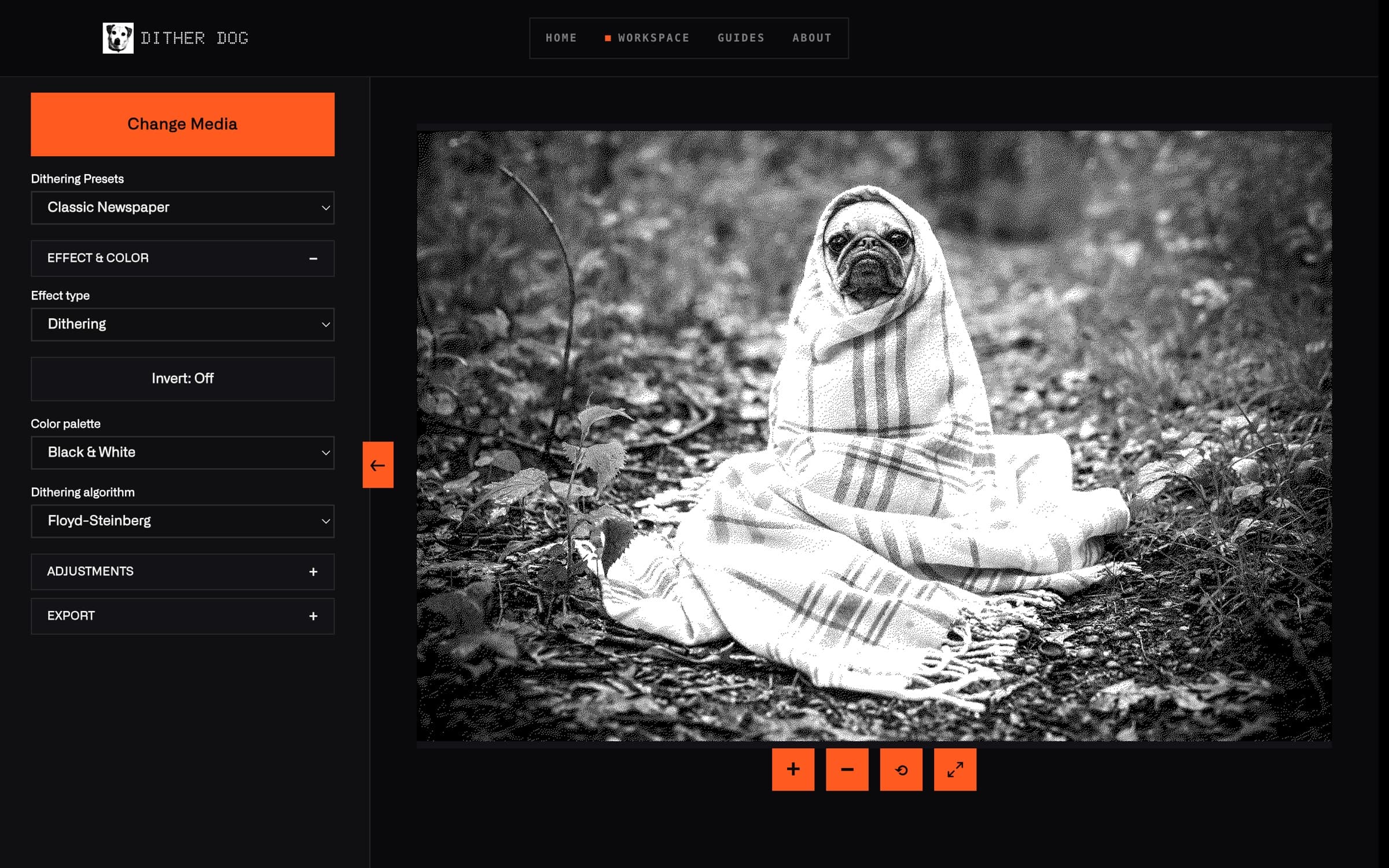
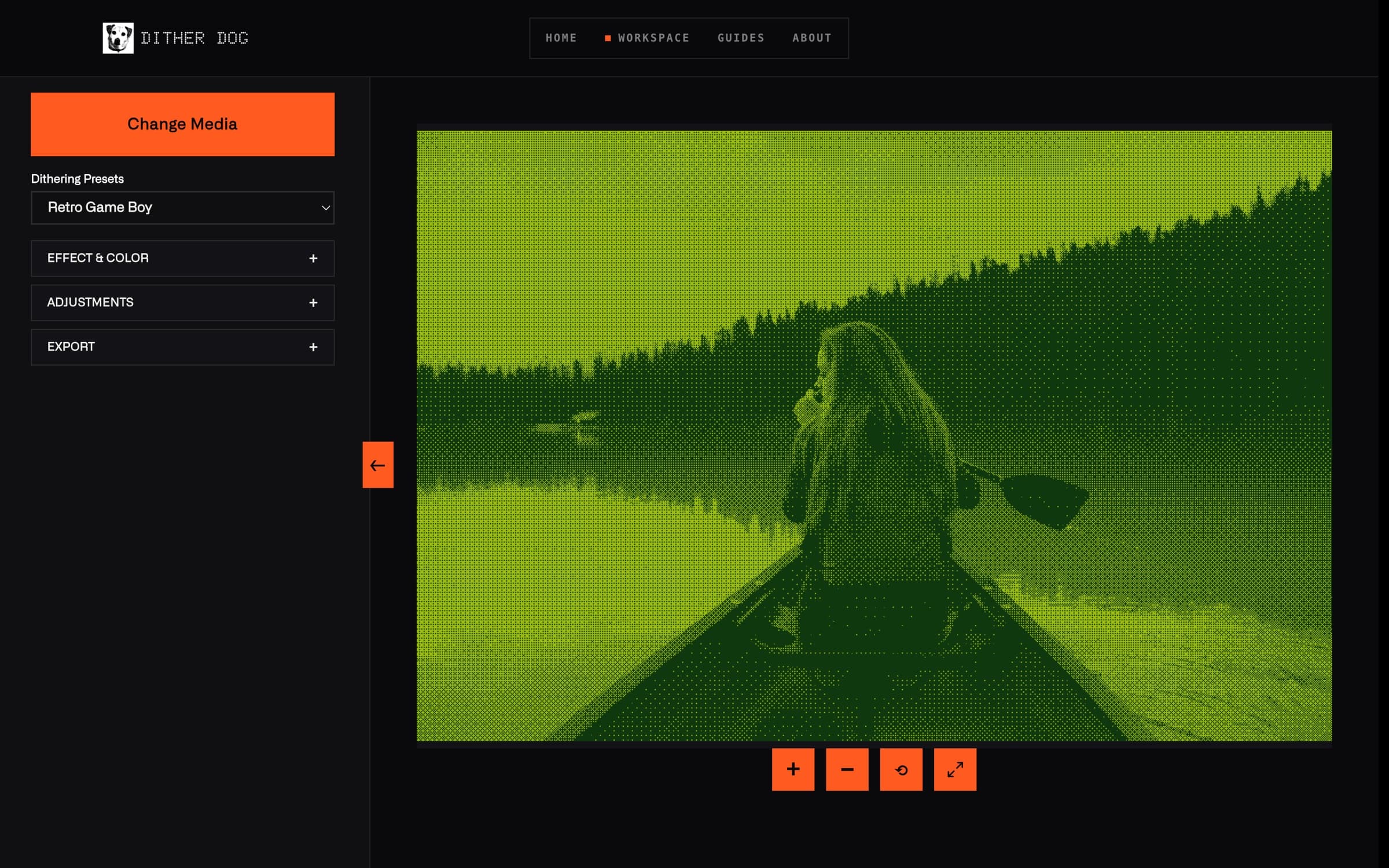
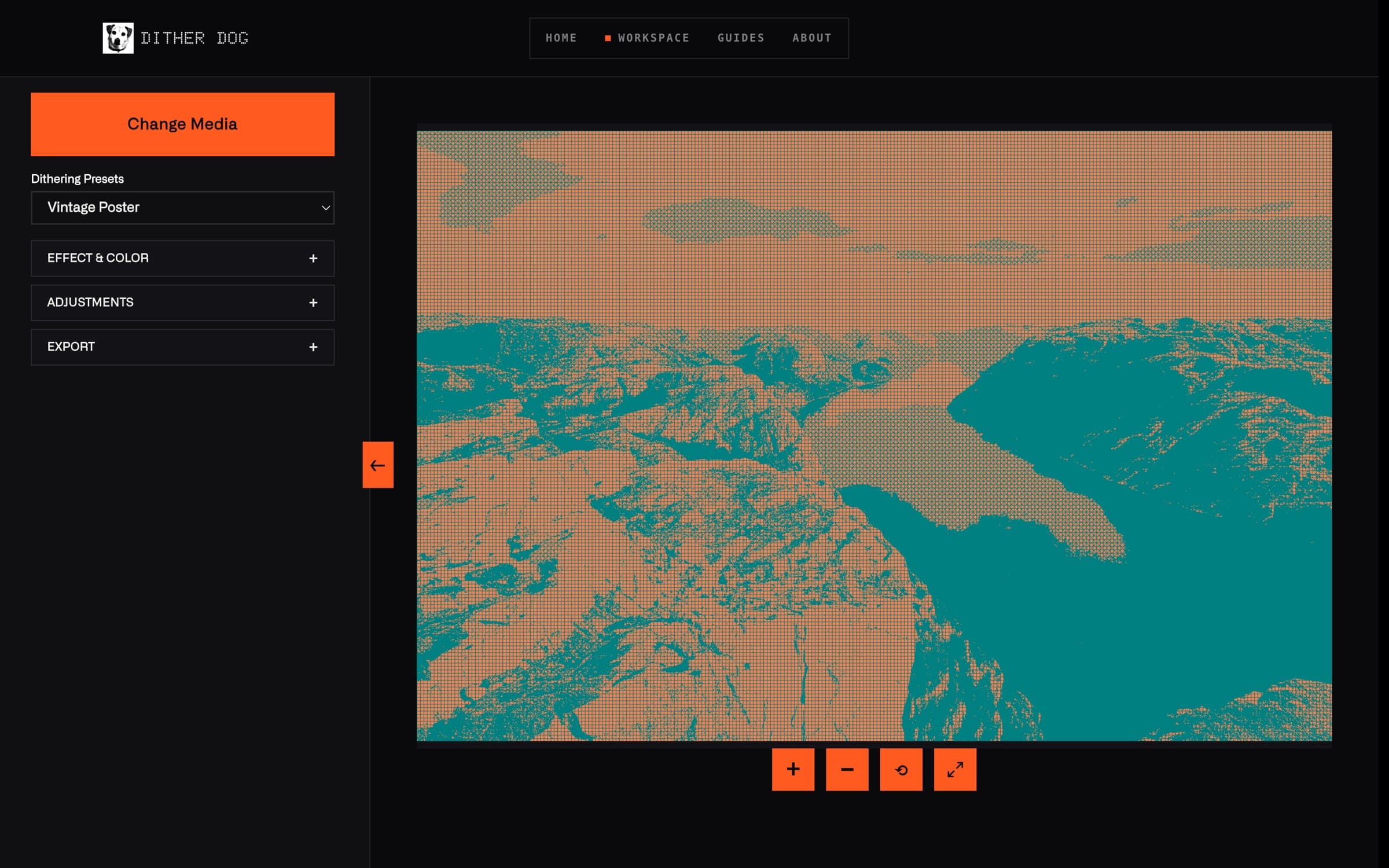
The first version applied a handful of effects to a single image. The current release is a complete dithering workspace:
- Images, videos, and GIFs, all processed in the browser. Nothing is ever uploaded to a server
- 28 algorithms across error diffusion (Floyd-Steinberg, Atkinson, Stucki, Sierra), ordered dither (Bayer, blue noise, clustered dot), and artistic patterns (halftone, crosshatch, stipple, spiral)
- 23 color palettes, from Game Boy green to cyan-and-magenta print halftone
- 20 hand-tuned presets that dial in an algorithm, palette, and contrast curve in one click
- A Guides section that teaches how dithering works, so the tool doubles as a learning resource
03 · Design Direction
A sleek, robotic instrument panel
I wanted the interface to feel like precision hardware: something between a lab instrument and a retro terminal. The UI steps back so the artwork carries the color:
- Near-black canvas with a single signal-orange accent for every primary action
- Dot-matrix display type that echoes the pixel grids the tool produces
- Monospace, all-caps labels and numbered modules (01, 02, 03) that read like machine readouts
- Hard edges, hairline borders, and no rounded corners, so everything feels engineered rather than decorative
04 · Development
Learning to build by building
Dither Dog was where I learned the fundamentals of shipping software:
- Structuring a Next.js and TypeScript app with a reusable component architecture
- Canvas API pixel manipulation for real-time image processing
- State management for algorithm, palette, and contrast settings across images, video frames, and GIFs
- Performance work: debounced updates so sliders stay smooth, and careful canvas handling for large files
- Continuous deployment on Vercel, with the source public on GitHub
05 · Project Management
Small scope, real discipline
Even as a small, niche project, Dither Dog taught me to run work like a product team of one:
- Start with a focused core (upload, dither, export), ship it, then expand in deliberate releases
- Prioritize the features that make the tool more useful (presets, video, guides) over ones that only add complexity
- Keep the design system consistent as features grow, so new screens feel native to the product
- Treat feedback and real usage as the roadmap instead of building in isolation
06 · Takeaways
What it taught me
The gap between design and development is bridgeable. With the right tools and approach, designers can ship real products:
- One feature done well beats many half-finished ones
- Design and development inform each other, and iterating between both improves the result
- AI-assisted coding speeds up learning, but understanding the fundamentals is what makes it work
- Shipping something real, then improving it, beats endless polish in isolation
Ready to build something?
Let's discuss how I can help bring your project to life.